

Description
Download Slow Video Maker APK – Slow Motion Video Editor, Android App, Video Utility
Overview
Slow Video Maker is a dedicated Android application designed to help users transform regular video clips into engaging slow-motion content. The app serves as a straightforward tool for individuals seeking to enhance their video storytelling by emphasizing key moments through deliberate pacing. It is particularly useful for users who want to highlight action sequences, emotional expressions, or dynamic movements in a more expressive way. The software is ideal for social media creators, amateur videographers, and everyday users who wish to add cinematic flair to personal recordings. It enables the adjustment of playback speed across a customizable range, from 1/2x down to 1/10x, allowing for ultra-slow motion effects. This functionality supports creative expression by giving users control over how fast or slow a scene unfolds. The app is intended for use on mobile devices, with no requirement for external hardware or advanced technical knowledge. Its primary purpose is to simplify the process of creating visually compelling slow-motion videos directly from a smartphone. The developer did not provide additional information about the company or background. Real-world usage includes enhancing sports highlights, capturing children’s first steps, or emphasizing dramatic transitions in personal vlogs.
Key Features & Capabilities
- Speed Adjustment Control – Users can modify playback speed from 1/2x to 1/10x, enabling precise control over the slow-motion effect. This allows for dramatic emphasis on specific actions or movements.
- Multi-Format Support – The app is capable of processing various video file types, ensuring compatibility with most recorded clips from standard smartphone cameras.
- Intuitive User Interface – Designed for ease of use, the interface allows quick access to core functions without requiring technical expertise.
- Smooth Video Output – The app processes videos to maintain visual continuity, minimizing artifacts during speed changes.
- Direct Export Functionality – Once edited, videos can be saved to the device’s storage or shared directly to social media platforms.
These features enable users to create professional-looking slow-motion videos without needing complex editing software. For example, a parent can slow down a child’s first steps to preserve every detail, while a content creator can use the app to emphasize a jump or dance move. The ability to adjust speed in fine increments ensures that the final output matches the desired artistic vision. The app supports seamless integration into daily video editing workflows on mobile devices.
User Interface, Workflow & Performance
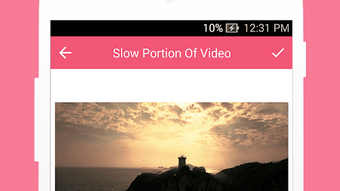
The user interface of Slow Video Maker is structured around a clean, minimal layout focused on core editing tasks. Navigation is straightforward, with primary functions like speed adjustment, preview, and export accessible from the main screen. The workflow begins with selecting a video file, followed by adjusting the speed factor using a slider or numeric input. After previewing the result, users can export the edited video. The app does not specify resource usage details, so exact CPU or RAM behavior remains unknown. Performance observations are based on general software behavior patterns. The developer did not provide additional system requirements or performance benchmarks. Stability during long video processing is not confirmed. However, the app’s design suggests it is optimized for mobile environments, with an emphasis on responsive interaction and fast load times for short clips. The interface remains accessible even for users with limited technical experience.
Compatibility & System Requirements
Slow Video Maker is designed for Android devices and is distributed as an APK file. The supported operating system is Android, though the specific version range was not provided. Installation size is not specified in the available information. The developer did not list exact hardware requirements or compatibility details beyond the platform. Compatibility information was partially provided. Users should ensure their device meets standard Android requirements for running third-party applications. The app may not function on older or low-end devices if system resources are limited. No official support for iOS or desktop platforms was mentioned.
Pros and Cons
Pros
- Simple and intuitive interface suitable for beginners
- Supports a wide range of playback speed adjustments (1/2x to 1/10x)
- Compatible with multiple video formats
- Efficient workflow for quick video edits
- Allows direct export and sharing to social media
Cons
- Exact system requirements were not listed
- Performance behavior on older devices is unknown
- No information on video resolution or export quality
- Limited to Android platform
- Developer background not disclosed
FAQ Section
Is Slow Video Maker available for iOS devices?
Based on the available information, the app is designed exclusively for Android. There is no official support for iOS platforms.
Can I use this app without an internet connection?
Yes, Slow Video Maker operates entirely offline. No internet connection is required after installation, making it suitable for on-the-go editing.
Does the app support high-resolution video editing?
The app supports various video formats, but specific details about resolution handling or export quality were not provided.
How often are updates released for this app?
Update frequency was not specified in the available information. Users should check the source of the APK for the latest version.
Is the app safe to download and install?
As with any third-party APK, users should download from trusted sources to ensure security. The developer’s identity was not disclosed, so caution is advised.
Final Thoughts + CTA
Slow Video Maker offers a focused and accessible solution for users who want to create slow-motion videos on Android without the complexity of full-featured video editors. Its core functionality—speed adjustment, format support, and a clean interface—makes it a practical tool for both casual users and content creators. While detailed technical specifications and performance data are not available, the app’s design emphasizes usability and immediate results. It is best suited for individuals who value simplicity and speed in their mobile video editing process. For those seeking a lightweight, no-frills way to enhance video content, this app delivers on its promise. Download Slow Video Maker now to transform your everyday videos into cinematic experiences.
Guides & Tutorials for Slow Video Maker APK
How to install Slow Video Maker APK
- Click the Preview / Download button above.
- Once redirected, accept the terms and click Install.
- Wait for the Slow Video Maker APK download to finish on your device.
How to use Slow Video Maker APK
This software is primarily used for its core features described above. Open the app after installation to explore its capabilities.
User Reviews for Slow Video Maker APK 0
No reviews found





